
 Yoink
Yoink Dockside
 Dropover
 Atoll
Atoll
How can I see app logs?
You can do that either through Console.app or through the log Terminal command.
Terminal
Streaming logs for viewing:
log stream --level debug --source --style compact --predicate 'subsystem BEGINSWITH "com.lowtechguys.Clop"'
Streaming and collecting logs to a file:
log stream --level debug --style compact --predicate 'subsystem BEGINSWITH "com.lowtechguys.Clop"' | tee ~/Desktop/clop.txt
Console.app
- Write
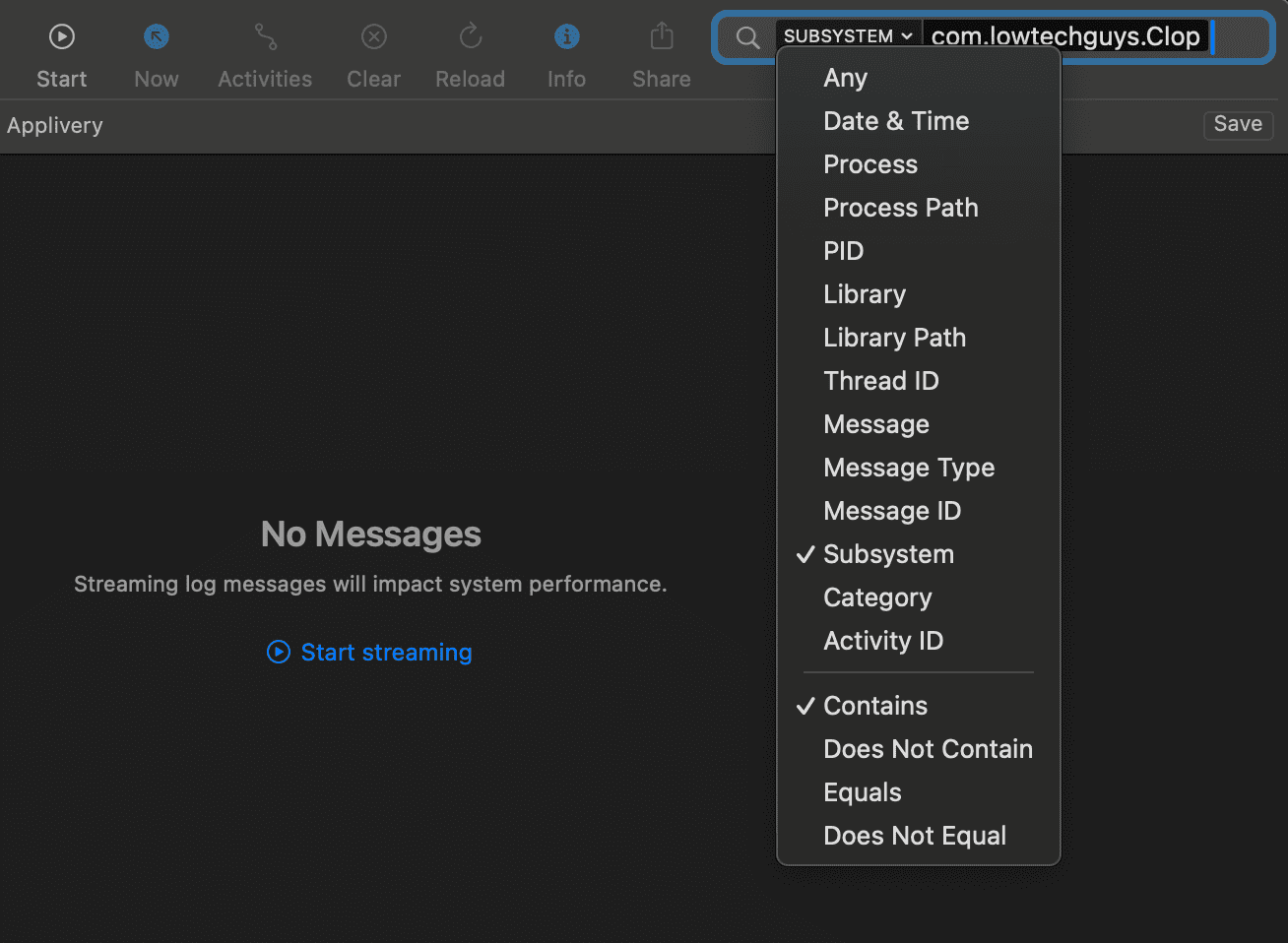
com.lowtechguys.Clopin the search bar and pressEnter - Click on
Anyand chooseSubsystem - Make sure
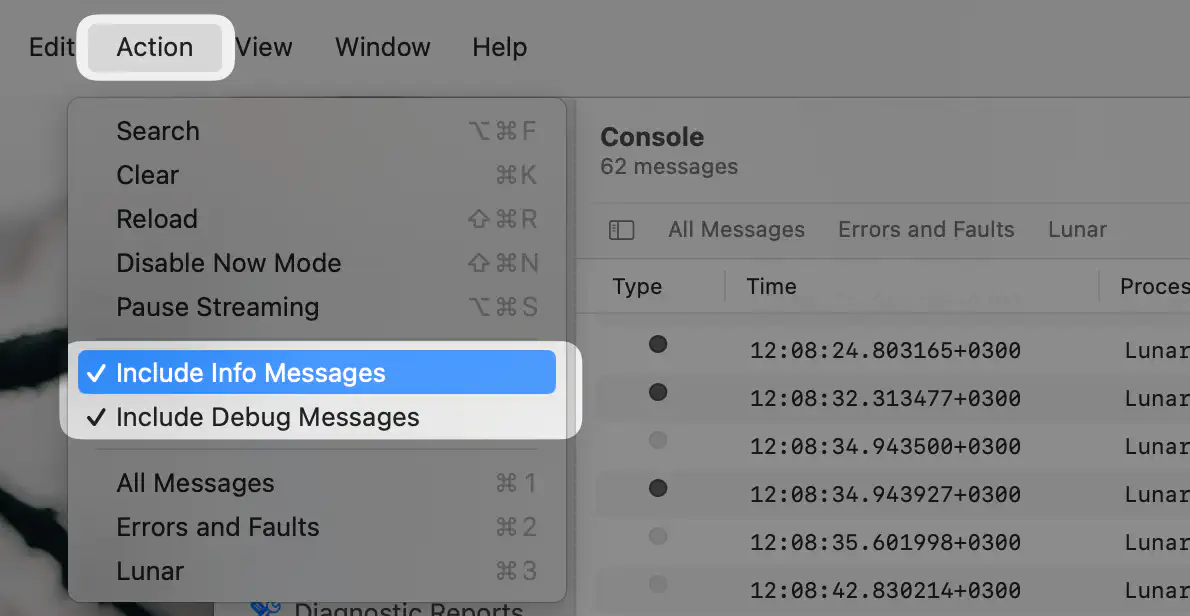
InfoandDebugmessages are enabled in theActionmenu - Start streaming logs
Saving Console logs
In the Console window, select 1 log line, then press Cmd-A and Cmd-C to copy all log lines to clipboard.
After that you can press Cmd-V to paste it in a Discord chat, the Contact form or in an editor like TextEdit to save it to a file.
License doesn't stay activated
Possible causes
- Tampered bundle (usually because of app cleaners deleting files from inside the app)
- App can't access internet (usually because of LuLu or Little Snitch, or VPN/DNS)
- Corrupt license files
Resetting app and license files
- delete the license files from
~/Library/Application Support/Clop/ - delete the app from
Applications - restart the app and retry activating
First quit the app before doing any of these changes.
To delete the license files, press
Cmd-Shift-Gin Finder, paste this path and press Enter:~/Library/Application Support/Clop/Delete the files in that folder.
Re-download the app, open the DMG and move it to
Applicationsreplacing the existing app.Launch the app and activate.
Make sure Paddle can be reached
Paddle is the licensing provider that Clop is using.
If the issue persists, try checking if Paddle's servers are reachable by your Mac. Ensure the following domains are not blocked in your network:
paddle.compaddleapi.comv3.paddleapi.com
For example, loading v3.paddleapi.com/3.2/license/verify in a browser (or with curl) should show a response like the following:
{
    "success": false,
    "error": {
        "code": 102,
        "message": "Unable to authenticate"
    }
}
If it shows a browser error or if it keeps loading continuously, then the domain is blocked and that's preventing activation and license checking.
Firewalls
Try disabling LuLu, Little Snitch or try adding Clop to the exclusion list of these firewalls.
