

What do I do if I have two apps with the same first letter (e.g. Music and Mail)?
Best way to handle this is to assign a custom key for the second app.
For example, if rcmd focuses Mail on ⌘ + M and you want to assign ⌘ + U for Music:
- Focus the Music app
- Press
⌘+⌥+U
And that's it, from now on you can use ⌘ + U to focuse the Music app.
What does Cycle do?
If you have multiple apps with the same first letter, pressing that letter multiple times will cycle between those apps.
For example, if you have Safari, Spotify and Shortcuts running:
- Pressing
⌘+Swill focus Safari - Pressing
⌘+Sagain will cycle and focus Spotify - Pressing
⌘+Syet again will cycle and focus Shortcuts
Can I cycle between windows of the same app?
Unfortunately there's no macOS API that allows us to focus specific windows of an app.
The Accessibility API would allow this in some manner but it is not allowed on the App Store.
There is a macOS native way to switch between windows of the same app:
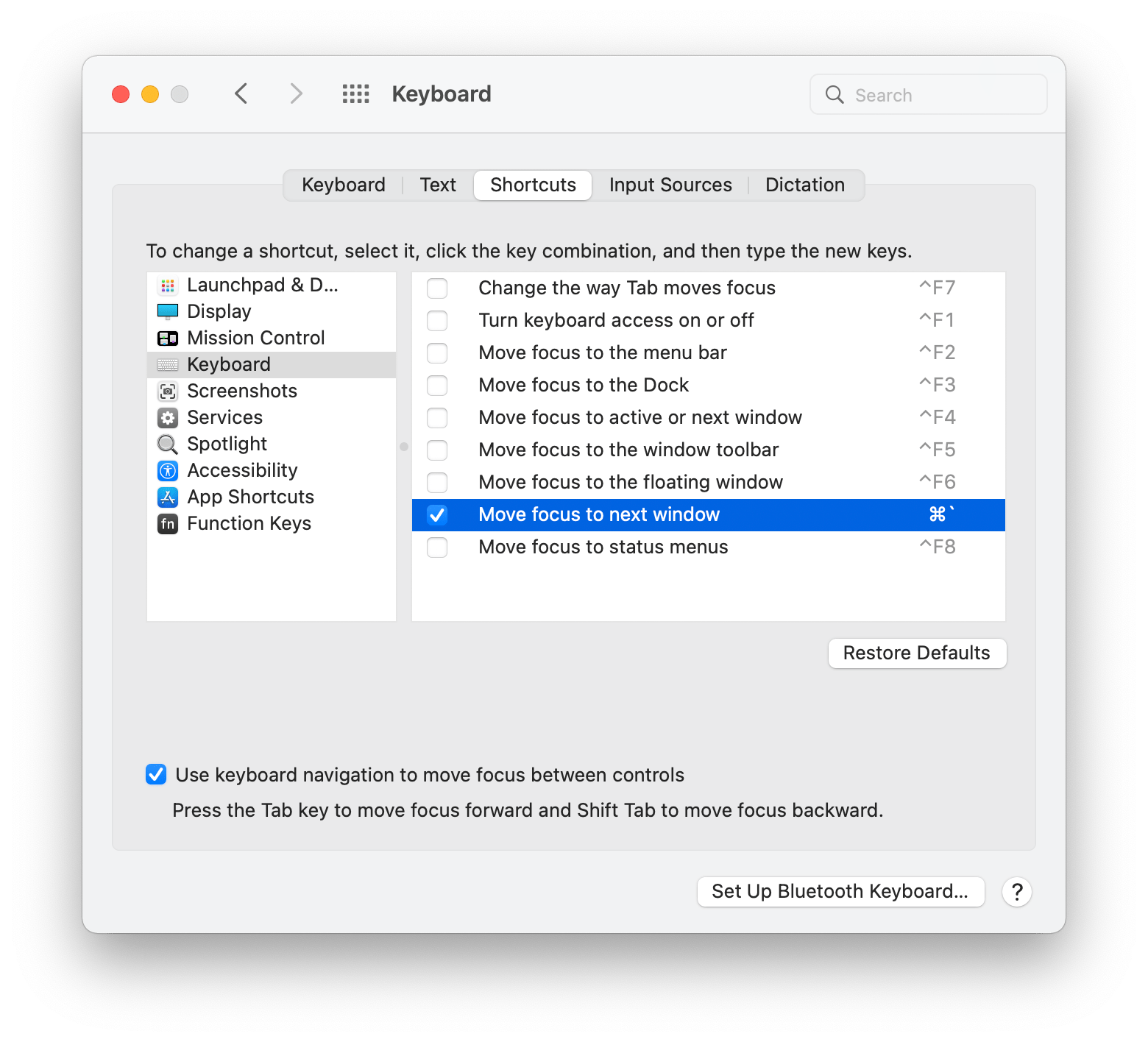
Left Command triggering rcmd?
Right Command+letter not doing anything?
It's possible that your keyboard is sending the wrong key codes.
Checking keycodes
You can check what keycodes get sent by downloading this simple app: KeyCodes.zip
After launching it, check the Log key up events and modifier changes checkbox.
Now if you press your Right Command key and click on the Info button you should see:
- Modifiers: 104884
8/ 0x100110 - NX_DEVICE
RCMDKEYMASK =16/ 0x10
For the Left Command key you should see:
- Modifiers: 104884
0/ 0x100108 - NX_DEVICE
LCMDKEYMASK =8/ 0x8
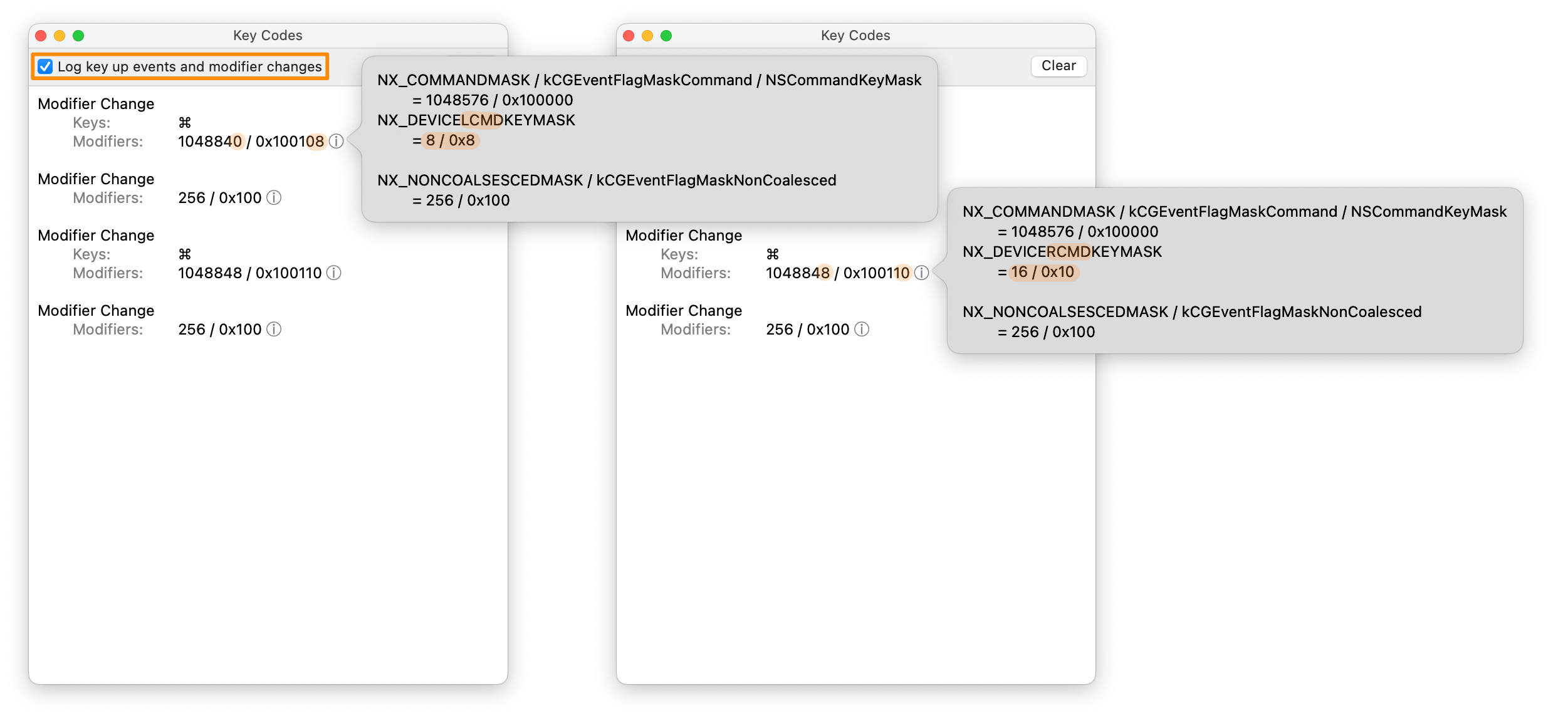
If you don't see those key codes exactly, then it's a problem with your keyboard mapping.
Possible causes:
- Specific models of external keyboards
- Changing the Modifier Keys settings in System Preferences
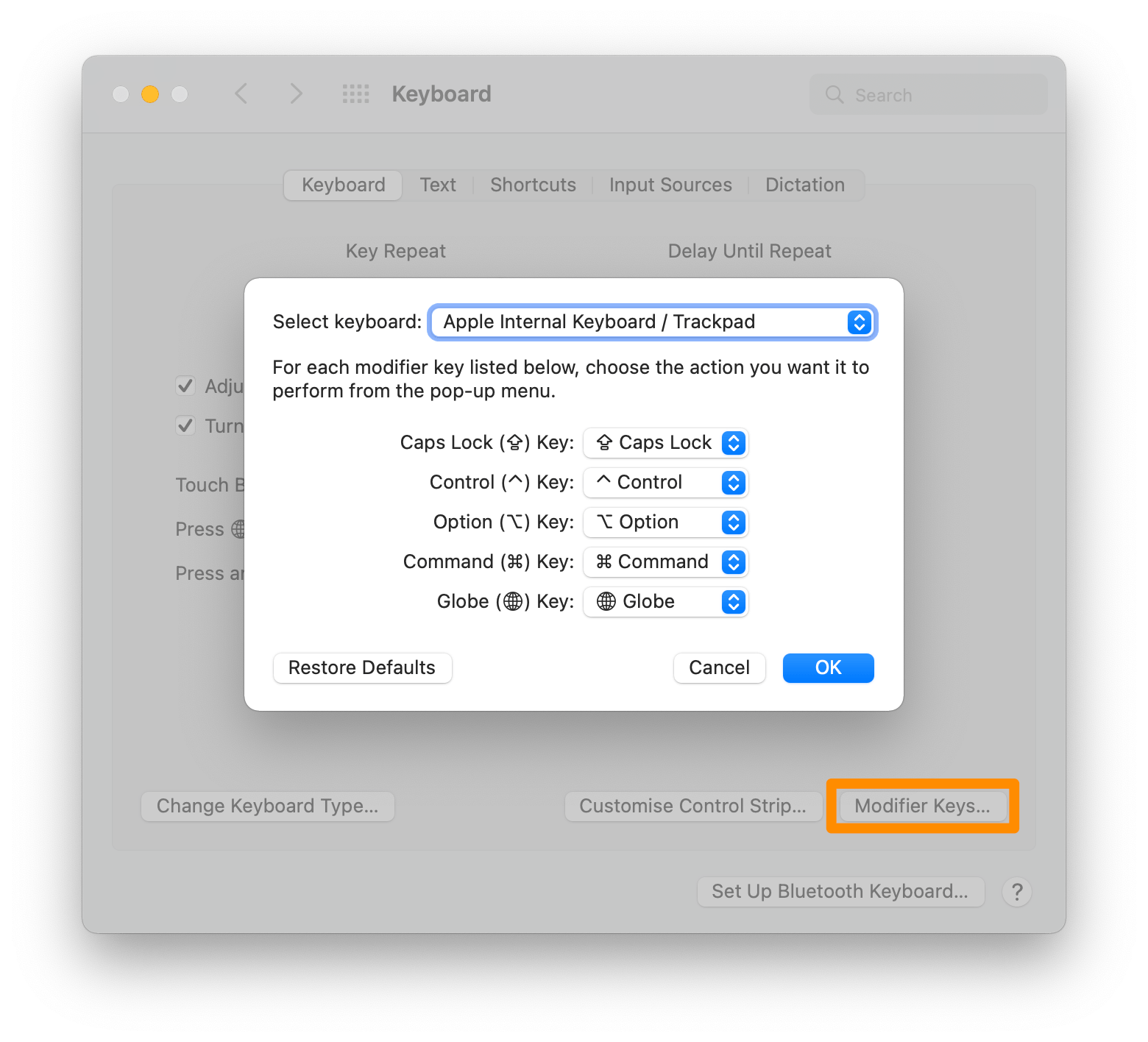
Workaround
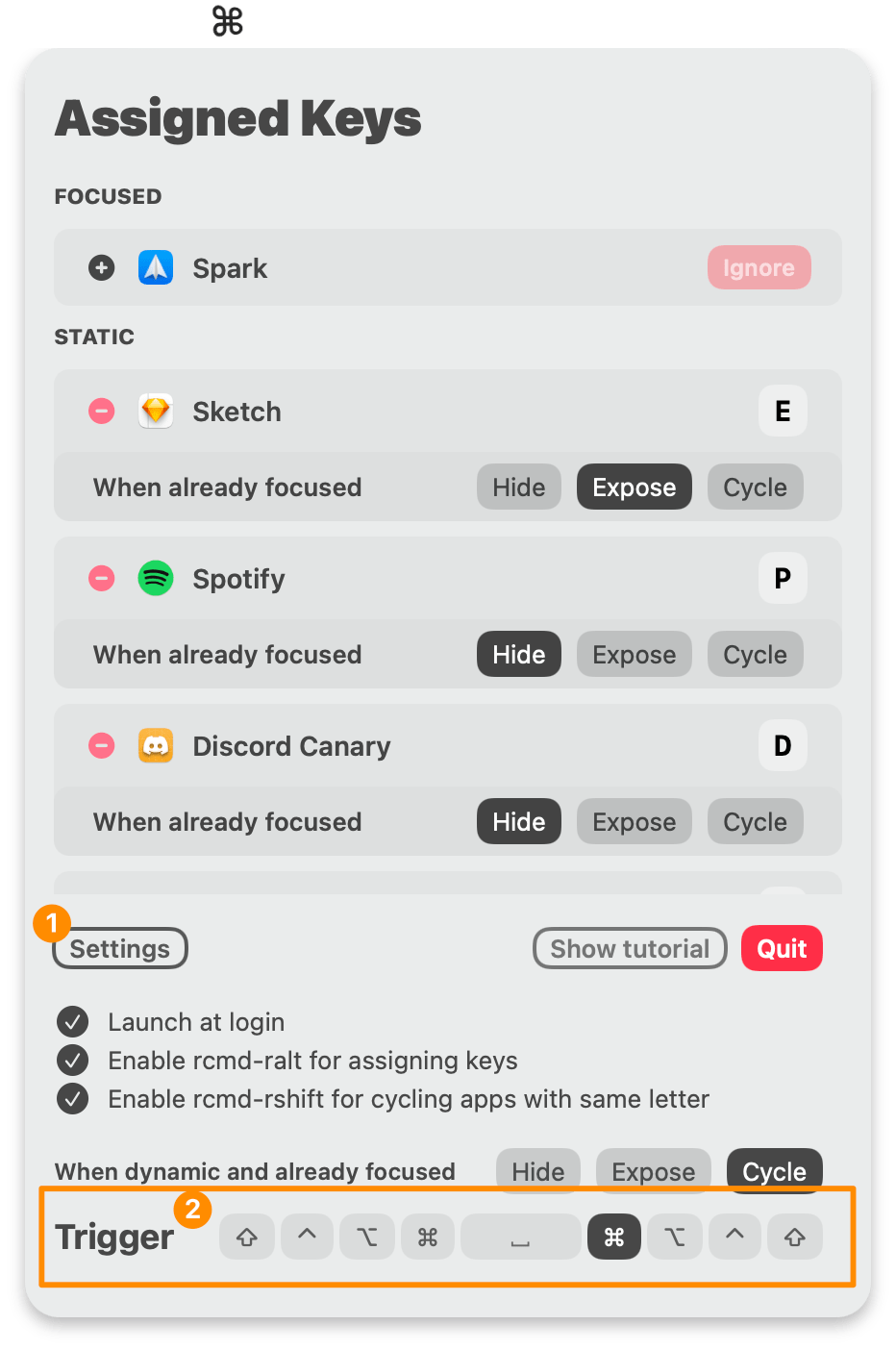
Keep in mind that you can always change the trigger key to something else than Right Command if that key is not working on your keyboard.
Can I assign the key L to Launchpad?
Yes, but only through a Terminal command.
Because Launchpad doesn't behave as a normal app, rcmd can't detect it when it's in foreground, and assigning a key using the usual rcmd + ralt + letter won't work.
To assign the key L to it, run the following Terminal command:
killall rcmd; plutil -insert appKeyAssignments.0 -string '{"app":{"path":"\\/System\\/Applications\\/Launchpad.app","switchCount":0,"originalName":"Launchpad","url":"file:\\/\\/\\/System\\/Applications\\/Launchpad.app\\/","identifier":"com.apple.launchpad.launcher","useCount":0},"key":"l","whenAlreadyFocusedAction":0,"index":0}' ~/Library/Containers/com.lowtechguys.rcmd/Data/Library/Preferences/com.lowtechguys.rcmd.plist; open /Applications/rcmd.app
High CPU Usage?
Looking at the % CPU usage is not a very accurate way of judging the app's efficiency.
Especially on Apple Silicon. Read more about it in this article: CPU percentage is misleading on M1 Macs by The Eclectic Light Company
Why do I see CPU usage spikes?
rcmd has to listen on window change events and keep track of how often an app is switched to.
This is used in the scoring algorithm for choosing which apps get priority in the dynamic first letter assignment.
The compute workload is minimal and the spike only lasts a few milliseconds.
Should I worry about it?
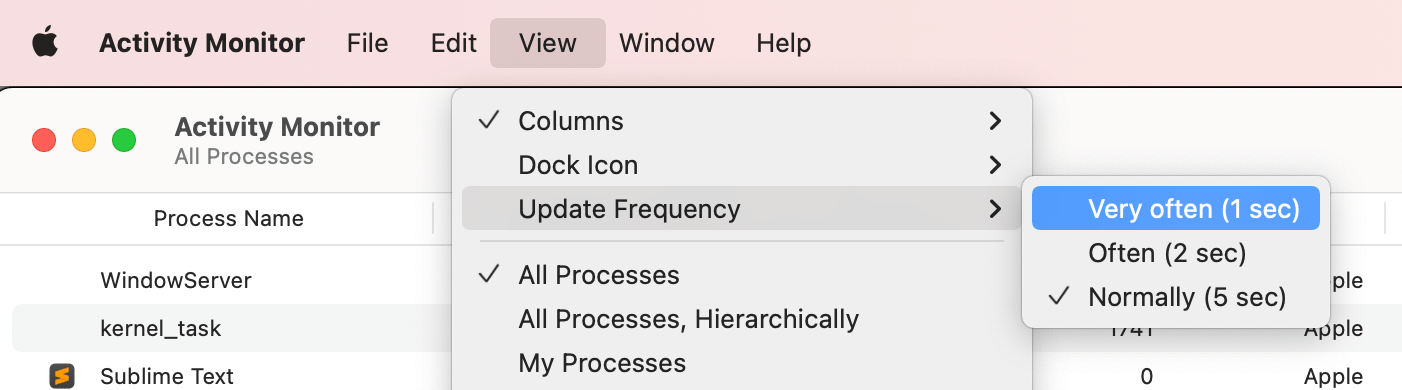
Usually, you shouldn't look at the % CPU field, but at the CPU Time metric. By default Activity Monitor updates every 5 seconds, so even if the CPU % was at 7% for a few milliseconds, you'll still see it for 5 seconds.
Even with the Very often (1 sec) setting, the % CPU metric is still not best for judging app efficiency.
In the following case, from the time rcmd started running (3 days ago) until now, it only consumed about 20 minutes of CPU time.
That's an incredibly small amount of CPU power used for an app that I use 20 times a minute. My finger basically rests on the Right Command key.

❯ echo "rcmd was launched "(soulver '(now - '(lsappinfo info -only kLSLaunchTimeKey rcmd | cut -d= -f2)') as time')" ago"
rcmd was launched 2 days 21 hours 49 min 5 s ago

❯ soulver "(19 min 29 s) is what % of (2 days 21 hours 49 min 5 s)"
0.465%
If you compare that to other keyboard utilities like BetterTouchTool for example, you'll see their CPU Time is comparable to rcmd.
For example in the same case, BetterTouchTool was just launched 2 hours 16 minutes ago and it already consumed 2 minutes of CPU time.
❯ echo "BetterTouchTool was launched "(soulver '(now - '(lsappinfo info -only kLSLaunchTimeKey BetterTouchTool | cut -d= -f2)') as time')" ago"
BetterTouchTool was launched 2 hours 16 min 26 s ago

❯ soulver '(2 min 9 s) is what % of (2 hours 16 min 26 s)'
1.576%
