Limba
Translate Mac apps into your language
Use the AI model you prefer, even one that runs on your Mac
Download v0.1.29.4 MB · macOS 14+ · Free
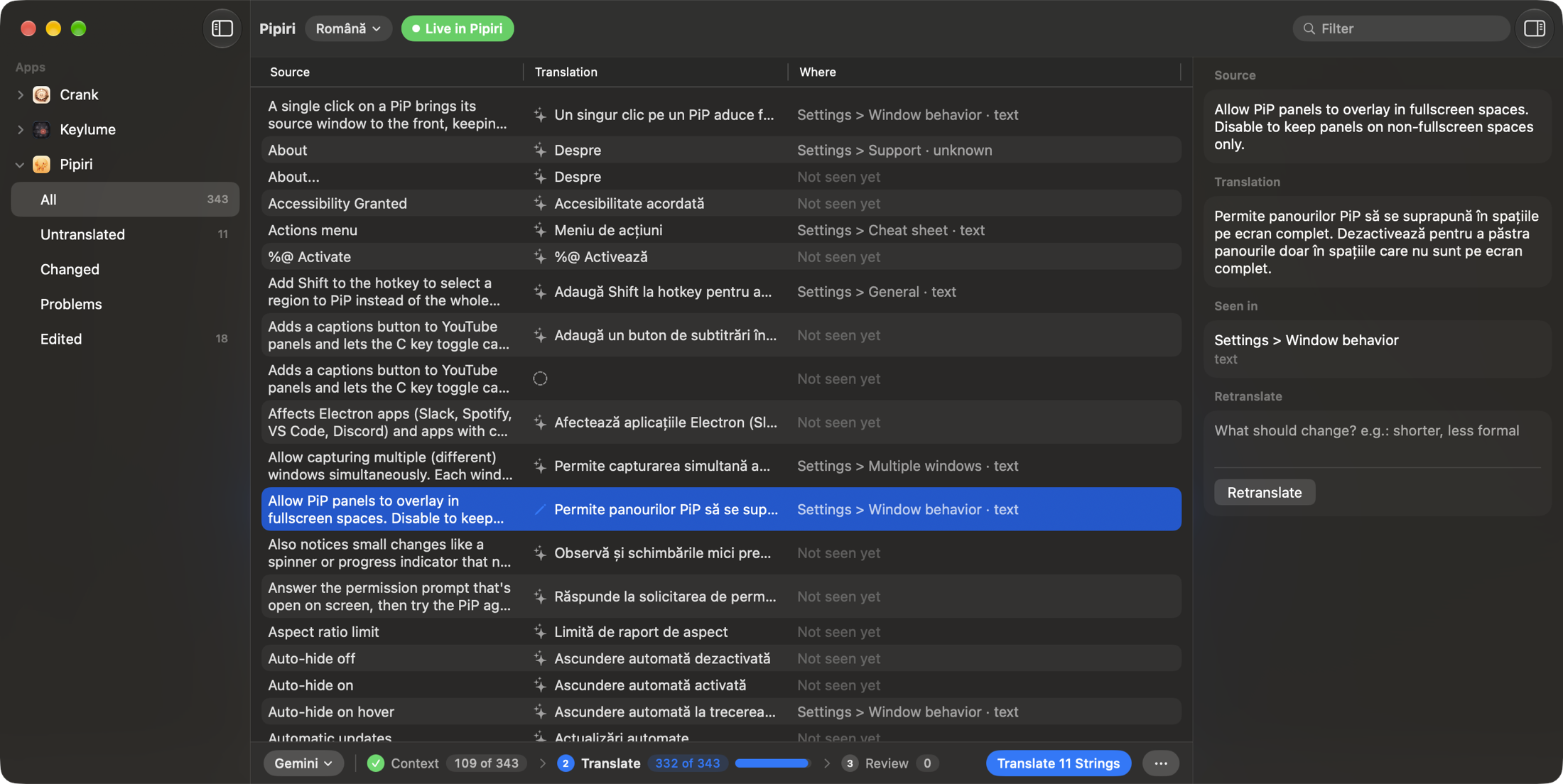
Press Translate with Limba next to the language menu in an app's Settings. You can also open Limba and pick the app from the sidebar.
ChatGPT through Apple Intelligence and Apple's on-device model don't need an API key. You can also use an OpenAI, Anthropic, Gemini or OpenRouter key, or a local model in Ollama or LM Studio.
Limba translates every string, and you see the translation in the running app right away. If a string reads wrong, edit it by hand or retranslate it with a note such as shorter or less formal.
Limba is free. If you use a paid API key, the company that issued it bills you, not Limba.
No. Translations are saved in Application Support, outside the app. The app stays exactly as the developer signed it and keeps getting its updates.
Limba sends the app's strings to the model, with the screen and row each one appears in. With Apple's on-device model or a local model in Ollama or LM Studio, nothing leaves your Mac.
Yes. After an update, new and reworded strings appear under Changed in Limba and the rest of the translation is kept.
LimbaKit is a Swift package that allows you to give your users the ability to translate your Mac app on their own Mac. You won't have to include localizations in your app anymore.
Add the package, ship your String Catalog inside the app and put the language menu (LimbaLanguagePicker) in Settings. Your users will then be able to translate every text in the free Limba app, with an AI model of their choice.
.package(url: "https://github.com/FuzzyIdeas/LimbaKit", from: "0.1.0")